MB ScreenRecorder1.2
Publisher Description
no prime membership
no root needed
recording time = no limit
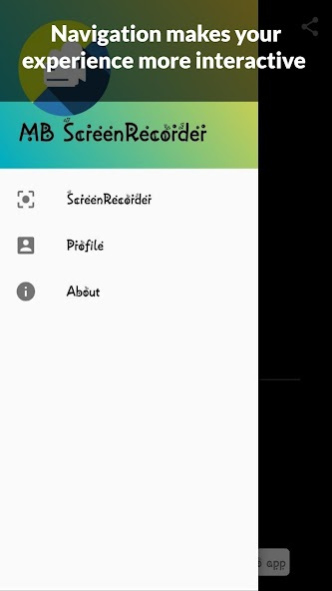
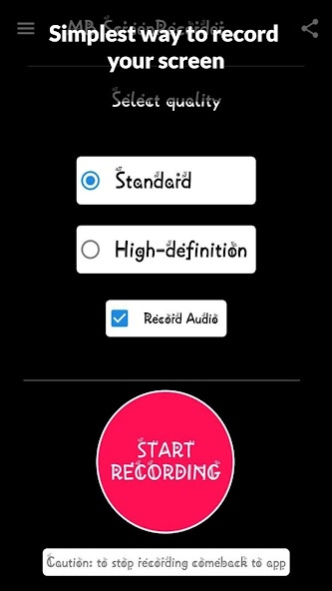
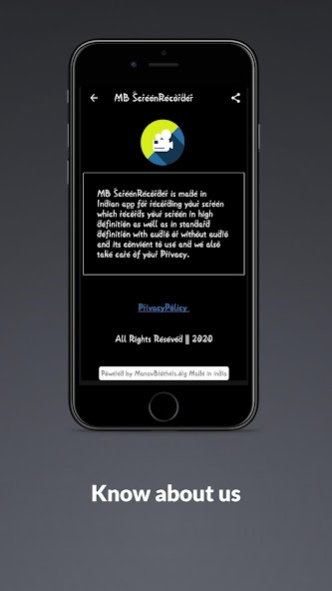
Screen Recorder - MB ScreenRecorder helps you capture smooth & clear screen videos in the easiest way. Just with a tap on the button, you can record HD or SD video tutorial, and videos that can not be downloaded even. And you will never miss live game shows, and important moments anymore. Also option for With audio or without audio.
Download the best screen recorder - MB ScreenRecorder to capture anything as you like!
🏅TOP FEATURES:
● No watermark: record a clean video & screenshot
● Simple to change your display resolution
● Top privacy without showing anything you can capture video of others phones
● Without toggel
Screen Recorder with Sound
Want to record gameplay, video tutorial with sound? This powerful screen recorder with sound is your best choice. It will record your voice fluidly and clearly.
Screen Recorder with Audio
It is also a well functional screen recorder with audio, screen recorder with sound. Download this fantastic screen recorder with audio to record your own video now.
Permissions
● Storage
● Microphone
● Internet
About MB ScreenRecorder
The company that develops MB ScreenRecorder is ManavBrothers.org. The latest version released by its developer is 1.2.
To install MB ScreenRecorder on your Android device, just click the green Continue To App button above to start the installation process. The app is listed on our website since 2020-07-17 and was downloaded 12 times. We have already checked if the download link is safe, however for your own protection we recommend that you scan the downloaded app with your antivirus. Your antivirus may detect the MB ScreenRecorder as malware as malware if the download link to com.rcceasti.mbscreenrecorder is broken.
How to install MB ScreenRecorder on your Android device:
- Click on the Continue To App button on our website. This will redirect you to Google Play.
- Once the MB ScreenRecorder is shown in the Google Play listing of your Android device, you can start its download and installation. Tap on the Install button located below the search bar and to the right of the app icon.
- A pop-up window with the permissions required by MB ScreenRecorder will be shown. Click on Accept to continue the process.
- MB ScreenRecorder will be downloaded onto your device, displaying a progress. Once the download completes, the installation will start and you'll get a notification after the installation is finished.
Program Details
System requirements
Download information
Pricing
Version History
version 1.2
posted on 2020-07-18
MB ScreenRecorder by ManavBrothers.org en-GB here
